

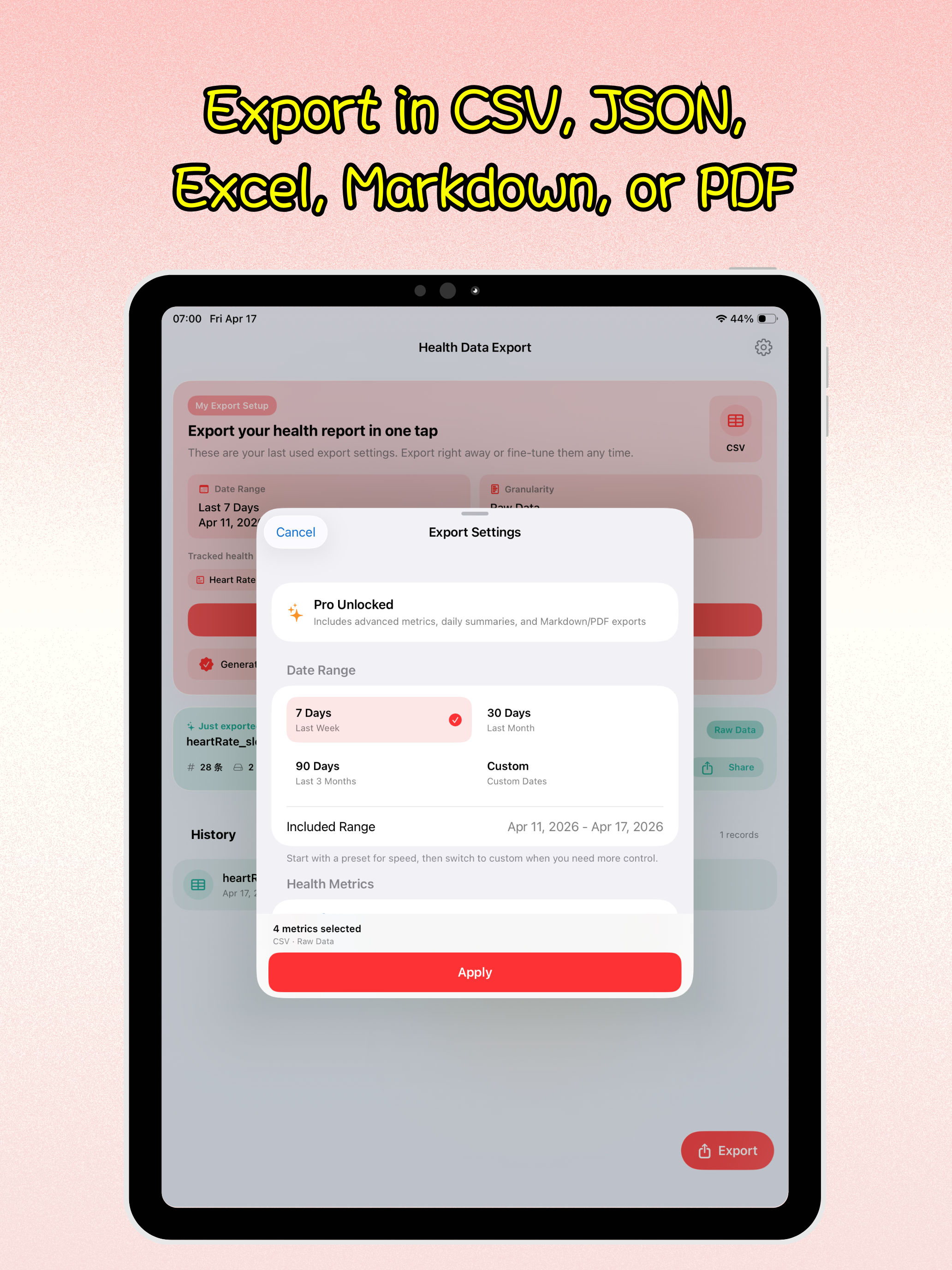
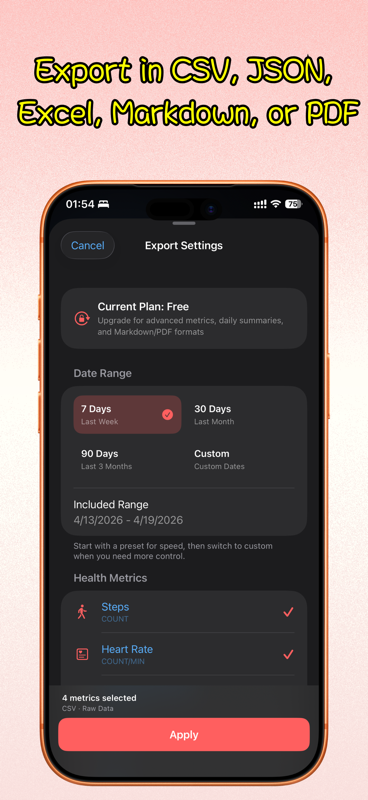
Export the last 7, 30, or 90 days, or choose your own custom date range
Back to apps


- iPhone
- iPad
Health Data Export
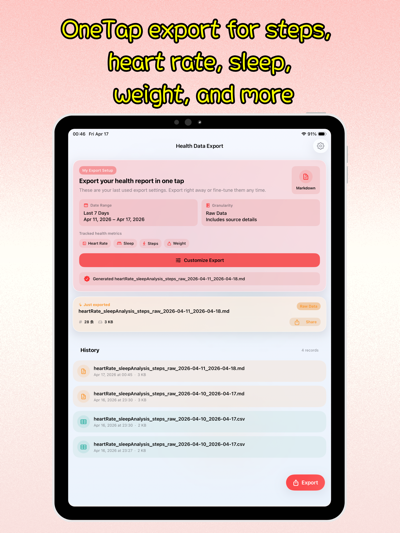
Health Data Export is an Apple Health export tool for iPhone and iPad that lets you choose a date range, select health metrics like steps, heart rate, sleep, weight, blood pressure, and blood oxygen, then export everything as CSV, JSON, Markdown, Excel, or PDF.
First published · 2026-04-15
Last updated · 2026-05-14
SCREENSHOTS
SCREENSHOTS



FEATURES
FEATURES
Save data as CSV, JSON, Markdown, Excel (.xlsx), or PDF
Cover 12 Apple Health metrics including steps, heart rate, sleep, weight, calories, distance, blood pressure, HRV, blood oxygen, and respiratory rate
Switch between raw records and daily summaries depending on how you want to review or share data
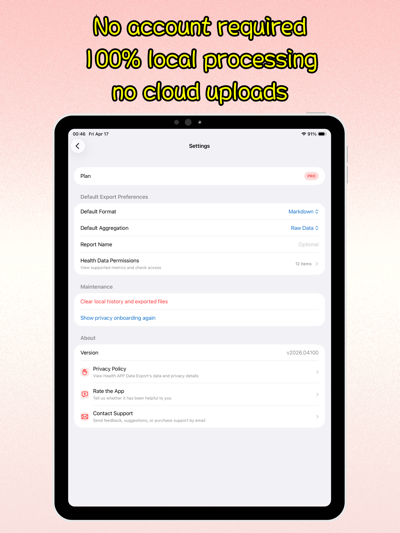
No account required, and all reading, aggregation, and file generation stay on-device
FAQ
FAQ
What health metrics can Health Data Export export?
The app currently supports 12 Apple Health data types: steps, heart rate, resting heart rate, sleep, weight, active energy, walking and running distance, systolic blood pressure, diastolic blood pressure, HRV, blood oxygen, and respiratory rate. It requests the matching HealthKit permissions only when you export.
Which export formats are supported?
Health Data Export supports CSV, JSON, Markdown, Excel (.xlsx), and PDF. CSV, JSON, and Excel work well for analysis or automation, Markdown is useful for notes and knowledge bases, and PDF is ideal for sharing with doctors or family members.
What is the difference between raw data and daily aggregation?
Raw export keeps individual timestamps whenever possible, which is better for deeper analysis. Daily aggregation turns the same data into compact day-by-day summaries that are easier to review and present.
Does the app upload my health data anywhere?
No. Health Data Export is local-first, requires no account, and does not upload your health records to any server. Reading, aggregation, export, and report generation all happen on your device.
What is included in the free version and Pro?
The free version is designed for quick exports of recent core metrics. Pro unlocks longer and custom date ranges, daily aggregation, PDF report generation, and advanced metrics such as HRV, blood oxygen, respiratory rate, and blood pressure.
Where can I use the exported files afterward?
CSV and Excel files can be opened in Numbers, Excel, and spreadsheet tools. JSON fits developer workflows and automation. Markdown works well in note-taking apps, and PDF is ready for direct sharing or archival.