

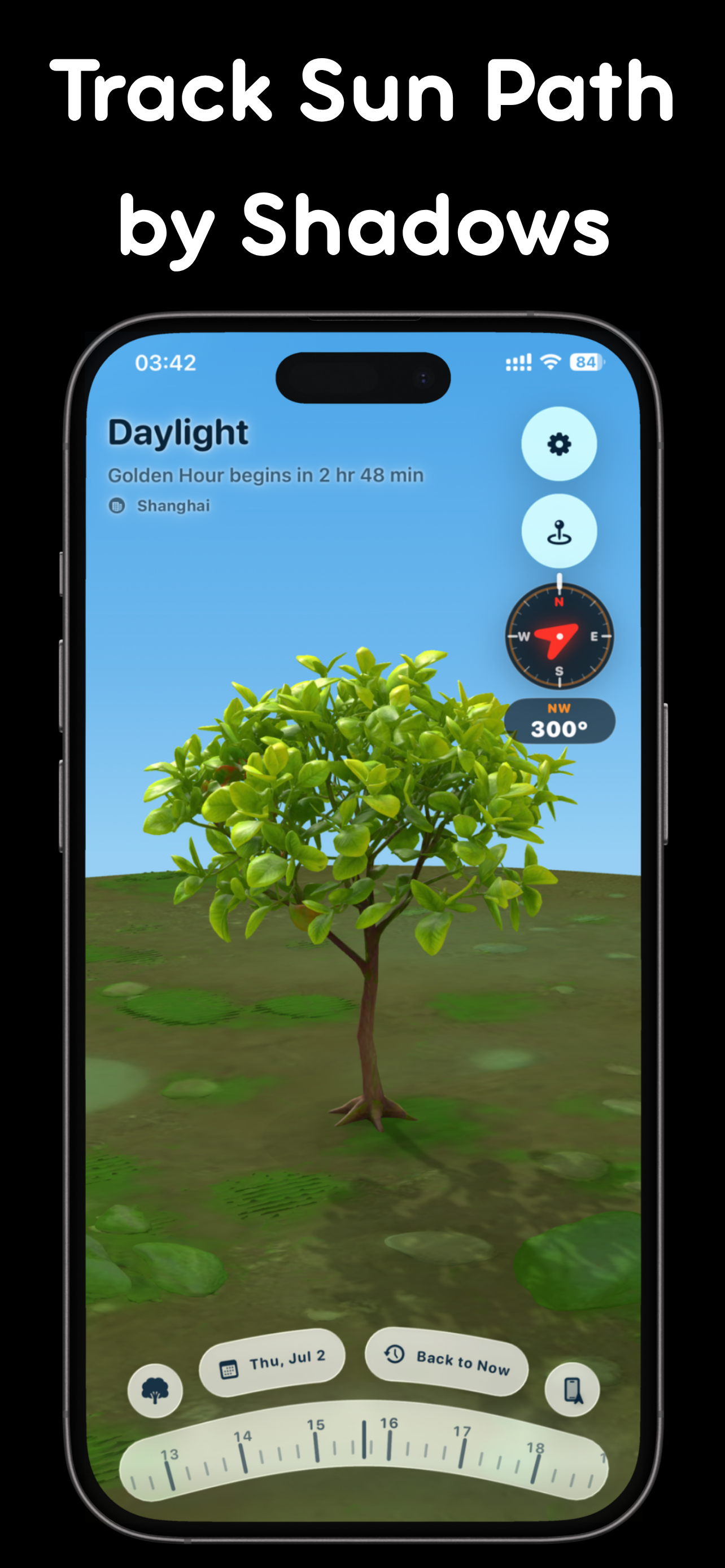
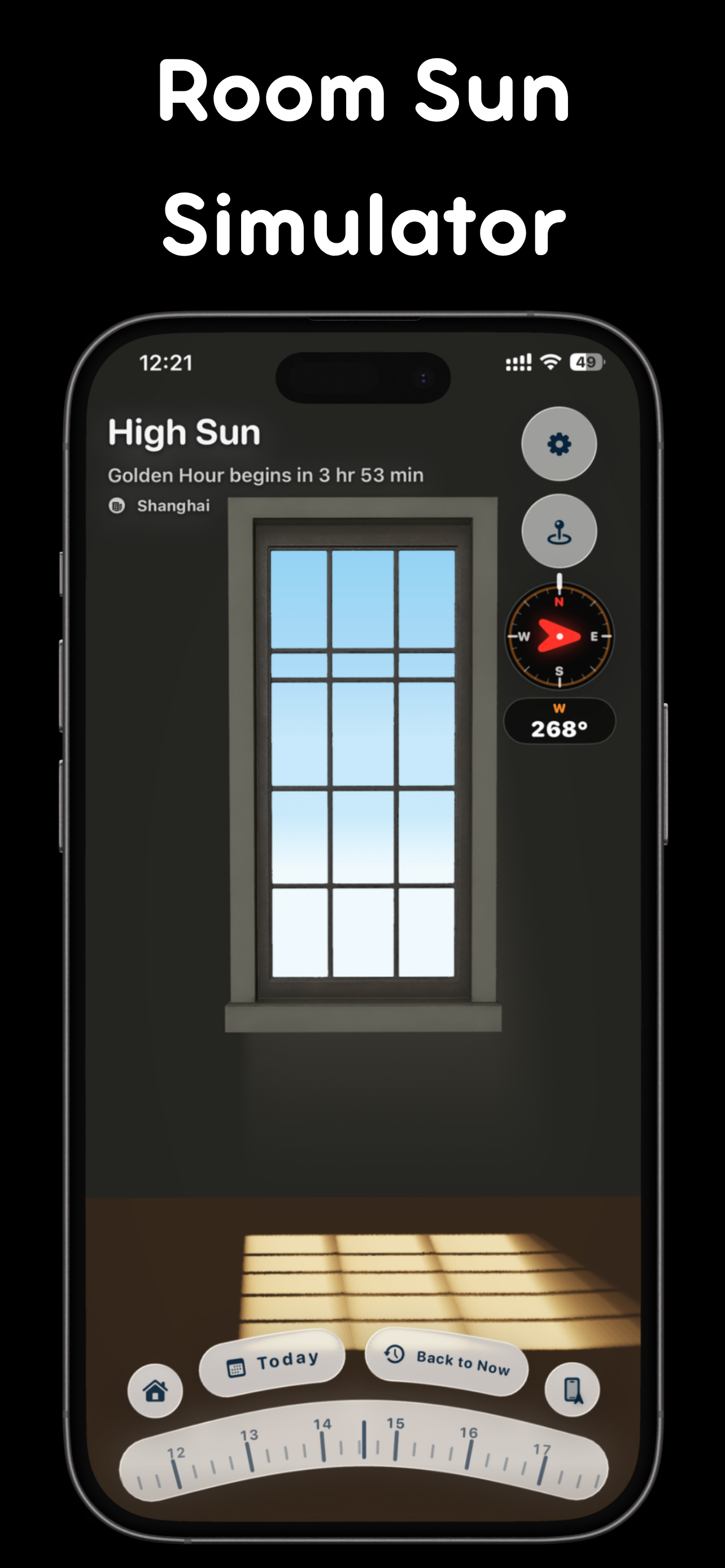
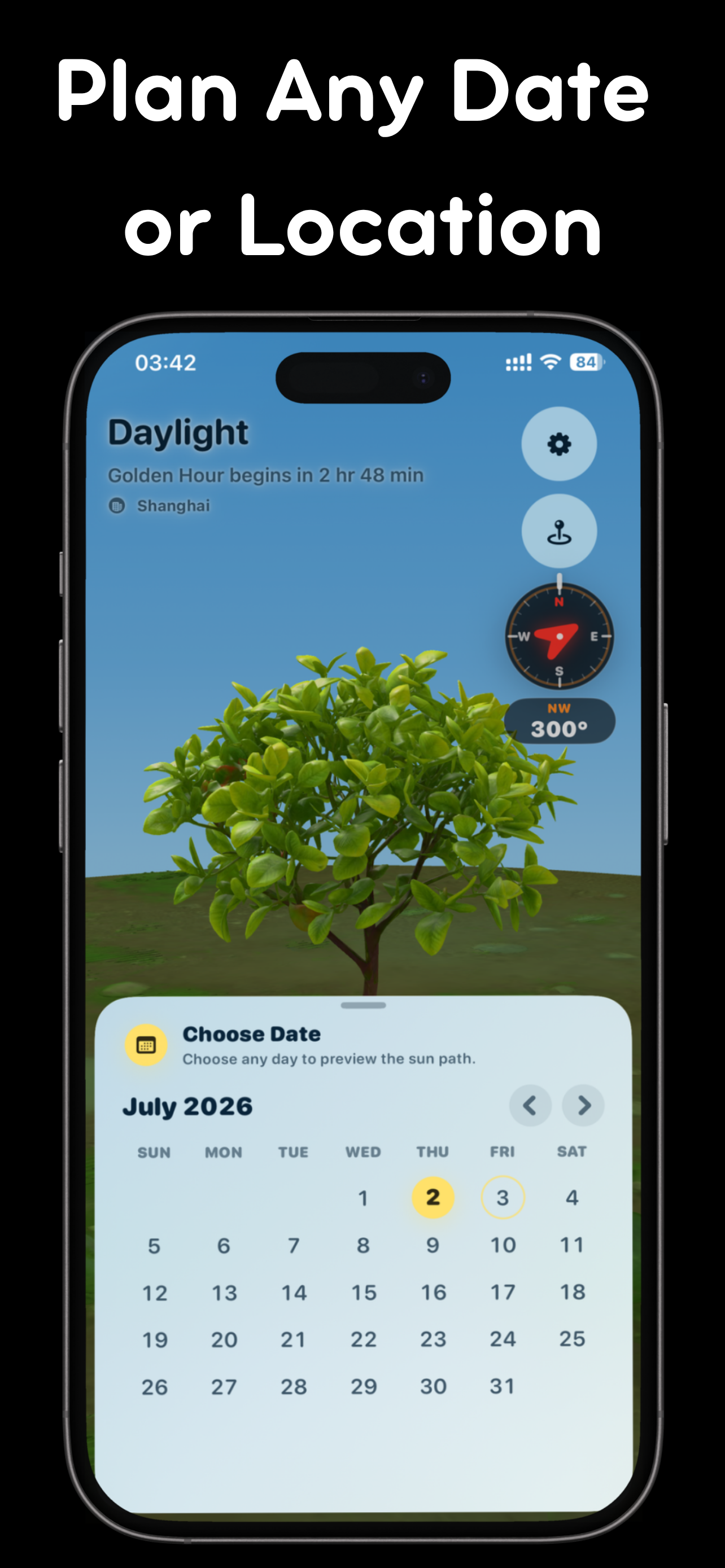

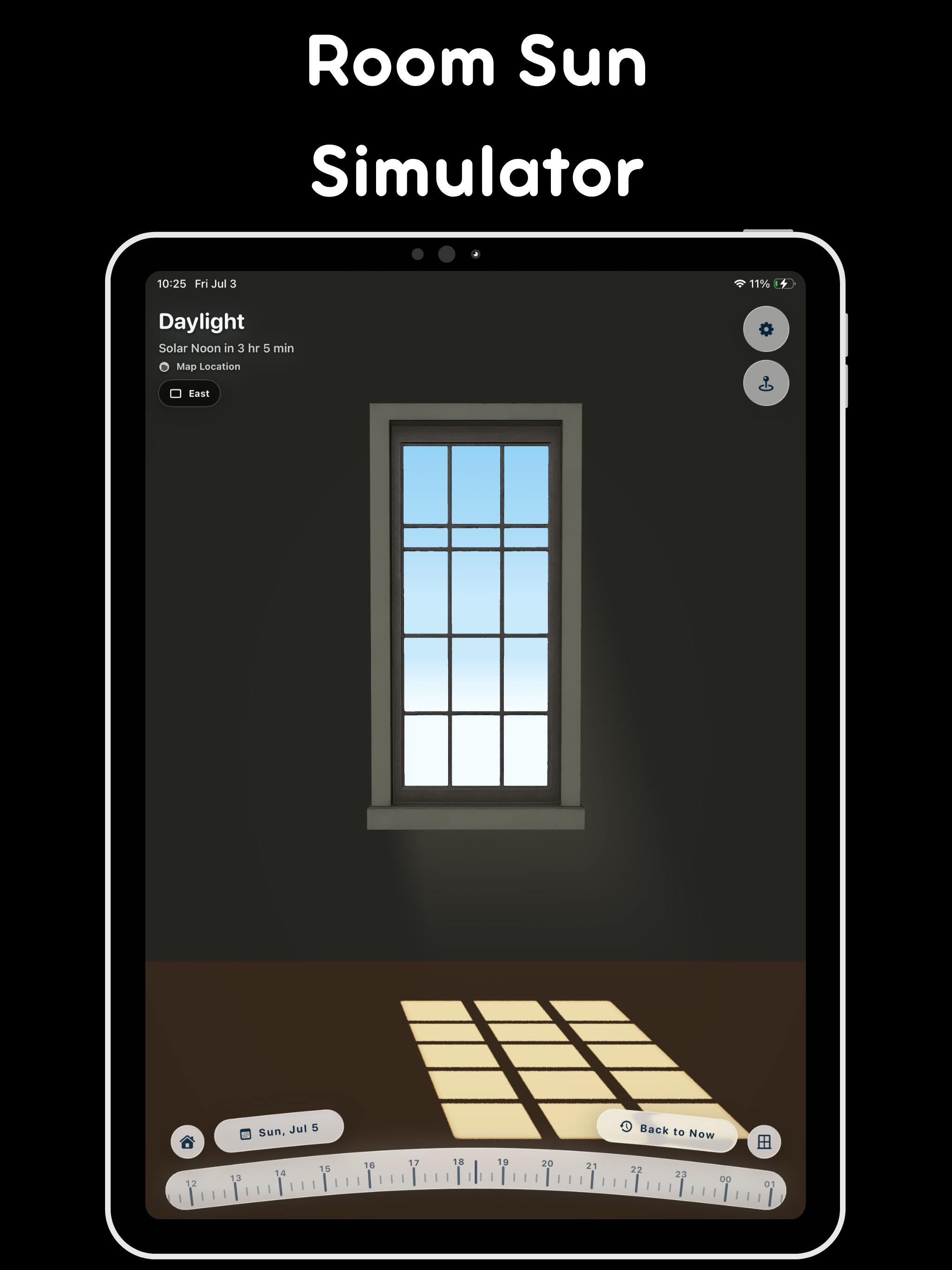

See the sun's direction and elevation in a visual compass that follows your current location and device heading
Back to apps

- iPhone
- iPad
SunLight
SunLight is an iPhone and iPad sun tracker that helps you read sun direction, daylight phases, sunrise, sunset, golden hour, blue hour, and room sunlight from one calm compass.
First published · 2026-07-02
Last updated · 2026-07-02
Features
Track daylight phases including sunrise, sunset, solar noon, golden hour, blue hour, twilight, and night
Scrub through the timeline to preview how sunlight changes across the day for rooms, plants, photos, or outdoor plans
Use the room scene to understand how direct sunlight enters a window, balcony, desk area, or plant corner
Plan locally with on-device sun calculations, map location selection, and a one-time SunLight Pro unlock for advanced planning
Overview
What is SunLight?
SunLight is a sun tracker and room light compass for iPhone and iPad. It shows sun direction and elevation, daylight phases (sunrise, sunset, golden hour, blue hour, twilight, night), and a simple room scene so you can reason about light on a window, desk, balcony, or plant corner.
Who it is for
- People placing desks, plants, or photo spots with natural light in mind
- Anyone planning outdoor time around golden hour / blue hour
- Users who want on-device sun math after location is available—not a weather forecast app
How to use it
- Allow location when you want sun position for your place (or pick a map location with Pro).
- Read the compass-style sun direction and elevation for now.
- Scrub the timeline to preview how light changes across the day.
- Open the room scene to approximate direct sun through a window orientation.
- Unlock SunLight Pro once if you need any-date planning, map selection, room simulation, and live heading tools.
What it is not
SunLight is not a weather app and does not market AR features. It focuses on geometry of the sun and daylight timing you can plan around.
Will this window get direct sun?
Stand near the window, identify its direction, and compare that direction with the sun compass. Scrub the timeline to compare morning, midday, and afternoon. With Pro, use the room scene and date planning to compare a chosen window orientation at different times of year.
Use this as a starting point for placing a desk or plant. A neighboring building, balcony above you, curtains, and the depth of the room can change the light that actually reaches the spot. The room scene is a simplified preview; it does not survey the surrounding buildings or measure indoor brightness.
Plan a photo around daylight
Check sunrise, sunset, golden hour, and blue hour for the selected place and date. Then compare the sun’s direction with the position of your subject. Check the weather separately and allow time to reach the location before the phase begins.
Follow the window direction and room sunlight walkthrough for a repeatable way to compare times and locations.
FAQ
What is SunLight for?
SunLight helps you understand where the sun is, how high it is, and how daylight will change through the day. It is useful for rooms, plants, photography, outdoor plans, and anyone who needs a quick sense of natural light.
Can it help with room sunlight?
Yes. The room scene lets you preview sunlight entering a simple indoor space. You can work with a window direction or follow the phone heading to understand whether a room, balcony, desk, or plant spot gets direct light.
Does SunLight need an internet connection?
SunLight is built around local sun-position calculations. After location is available, the app can calculate sun direction, elevation, daylight phases, and timeline values on device.
Which daylight moments does it show?
SunLight highlights sunrise, sunset, solar noon, golden hour, blue hour, twilight, night, and the current daylight phase so you can plan around real natural light.
What does SunLight Pro unlock?
SunLight Pro is a one-time unlock for advanced planning features such as any-date sunlight planning, room sunlight simulation, map location selection, and live compass heading readout.
Is SunLight a weather or AR app?
No. SunLight focuses on sun position, daylight timing, room sunlight, and compass-based planning. It does not make weather forecasts and does not advertise AR features.
PRACTICAL GUIDES
Go deeper on this workflow
MORE FROM IPOCKET
Related apps
-
 TieLoopiPhoneiPad
TieLoop is a private personal CRM and digital business card for iPhone that connects contacts, shared moments, anniversaries, money records, places, and personal cards into one relationship map.
View app -
 Do not GuessiPhoneiPad
Do not Guess is a casual restroom-sign recognition game for iPhone and iPad. Practice reading men’s and women’s restroom symbols quickly across 70 icon sets, timed rounds, achievements, and game statistics.
View app -
 ClawRSS: OpenClaw RSS Feed ReaderiPhoneiPad
ClawRSS is a modern RSS feed reader for iPhone and iPad with a smarter Today feed, AI summaries, built-in translation, bookmarks, Apple Push alerts, and optional OpenClaw workflows.
View app