


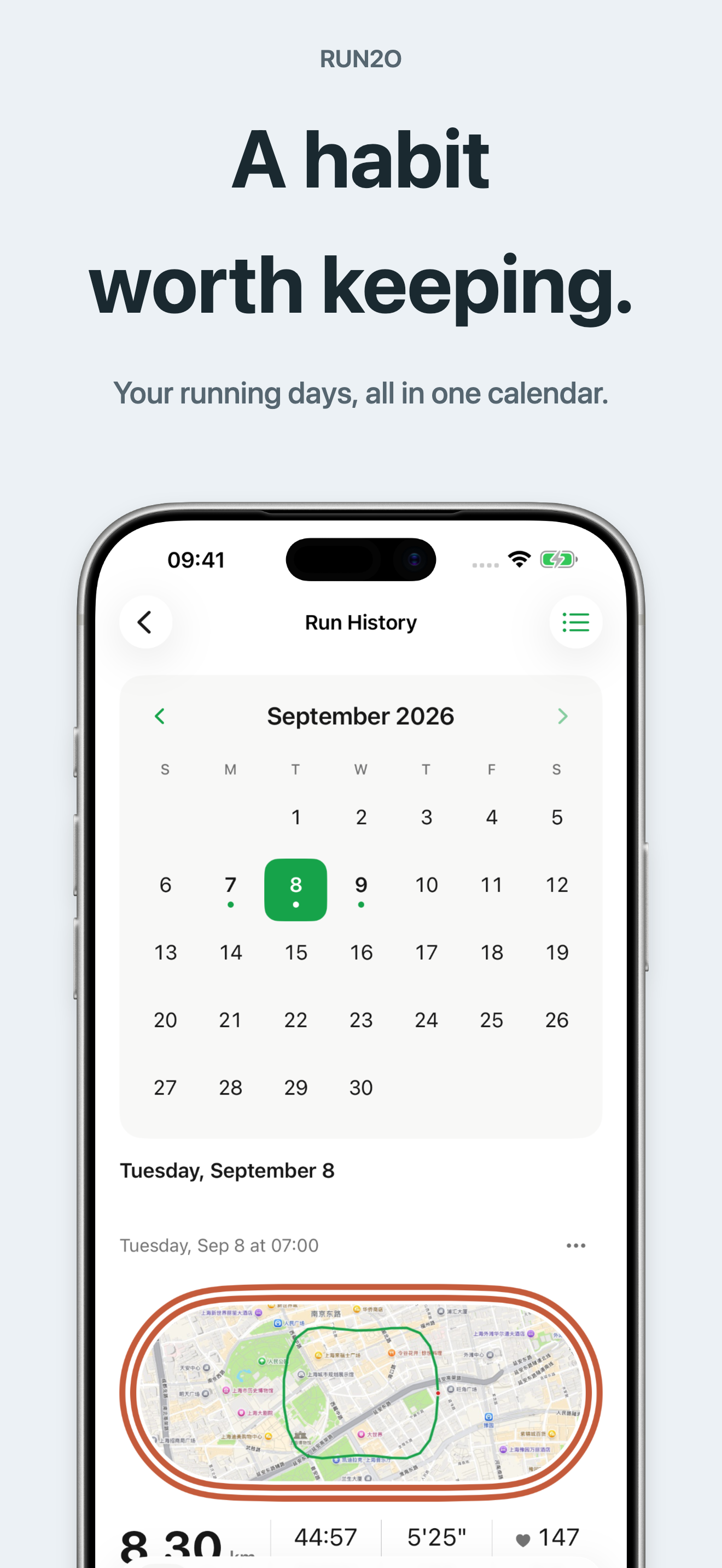
Start a run quickly and follow distance, pace and time in a clear live view.
Back to apps


- iPhone
- Watch
Run2O — iPhone & Apple Watch Running Tracker
Start your run. See your progress. Track runs on iPhone or Apple Watch, with no account or ads.
First published · 2026-09-17
Last updated · 2026-10-04
Features
Build time- or distance-based interval sessions with warm-up, work, recovery and cool-down. Requires Pro Lifetime.
Record on Apple Watch and review the results on your paired iPhone.
Review routes, splits, heart-rate zones and running trends. Share a recap or export CSV and GPX files when the required data is available.
Overview
At a glance
- Also known as
- 跑两圈
- Developer
- iPocket
- Platforms
- iPhone, Apple Watch
- Availability
- App Store
- Price
- Free · In-app purchases
- Requires
- iOS 17.0 or later
- Latest version
- 2026.10100 (2026-10-04)
- Size
- 29 MB
- Languages
- English, Chinese, French, German, Italian, Japanese, Korean, Portuguese, Spanish
- Category
- Health & Fitness
Choose what you need
- Free: record basic runs and review your running history.
- Run2O Pro Lifetime: one purchase permanently unlocks structured interval training. No interval-training subscription is required.
- Weather Monthly: a separate, optional auto-renewing subscription records weather at the start, during and at the end of a run. It is not included in Pro Lifetime.
Purchases are handled through the App Store. You can manage or cancel the weather subscription in your Apple subscription settings. Prices will be shown in the app when it becomes available.
Follow your run from the Lock Screen
During a run, Live Activities let you glance at your progress on the Lock Screen. Supported iPhones also display it in the Dynamic Island. Enable Live Activities for Run2O in iPhone settings to use this feature.
Keep a useful record
Review a route and its splits, add notes, or share a visual recap. CSV exports let you work with your records elsewhere; GPX export is available for runs with suitable route data. Heart rate and other sensor metrics appear when available from your recording device or connected sensors.
FAQ
Can I record a run on Apple Watch without carrying my iPhone?
The Apple Watch app can record runs, show live metrics and control interval stages. Results transfer to the paired iPhone when a connection is available. Interval training requires Pro Lifetime.
What happens to saved weather when my subscription ends?
Weather already saved with your runs remains available to view and export. Recording weather for new runs requires an active weather subscription.
Where is my running data stored?
Runs are stored on your device. You can optionally save workouts to Apple Health. Run2O does not provide iCloud sync; your paired Watch and iPhone can exchange workout data.
Does Run2O include a Home Screen widget?
Not currently. Run2O includes Live Activities for an active run on the Lock Screen and, on supported iPhones, in the Dynamic Island. It does not appear in the Add Widgets gallery.
Do I need an account, or will I see ads?
No Run2O account is required, and the app has no ads or social feed.
MORE FROM IPOCKET
Related apps
-
 ClawRSS: OpenClaw RSS Feed ReaderiPhoneiPad
ClawRSS is a modern RSS feed reader for iPhone and iPad with a smarter Today feed, AI summaries, built-in translation, bookmarks, Apple Push alerts, and optional OpenClaw workflows.
View app -
 YesBoxiPhoneiPad
A 3D keepsake for the words that matter.
View app -
 Weather IsletiPhoneiPad
Watch the weather come to life on a 3D island.
View app